Most AI assistants want to run your day. I have been wanting the opposite: one that knows everything and stays quiet until I call. I stumbled across Littlebird recently and fell for how plainly it designs around the tension between knowing more about you and being trusted to know it. That dance is the entire product.
Quick mechanics: Littlebird is a desktop app for Mac, with a Windows beta, that reads your screen through the operating system’s accessibility APIs. It sees structured text, not screenshots, which is why it cannot see minimized apps, private browser tabs, or password fields.
Things I Love About Littlebird
1. Emotion before function
Most AI tools lead with a product demo or a chat interface. Littlebird leads with animated nature scenes, serif typography, and a storybook aesthetic. The feature cards use distinct landscapes instead of UI mockups, and the copy sits directly on the imagery. It feels like an indie studio, not a SaaS company.
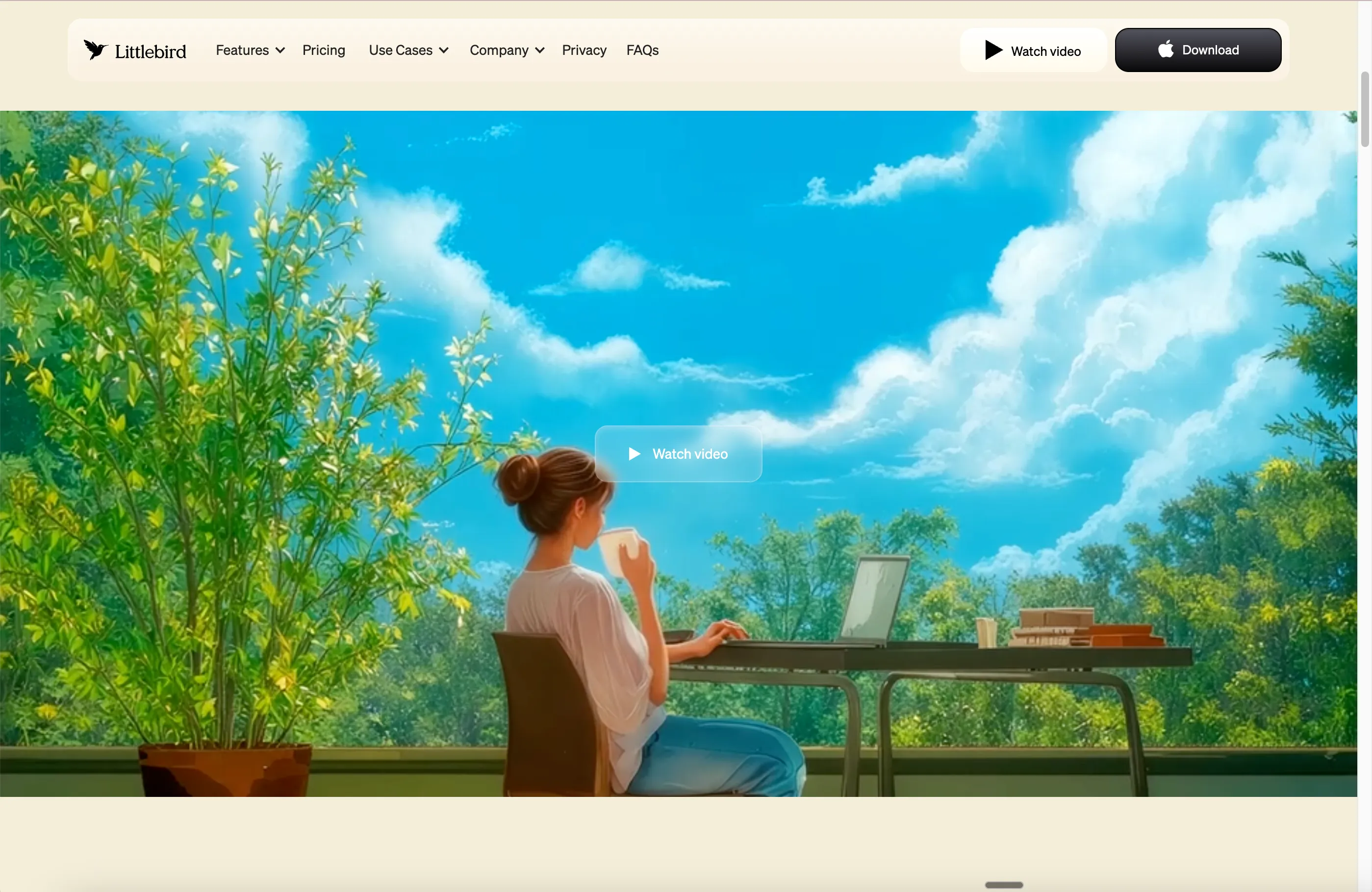
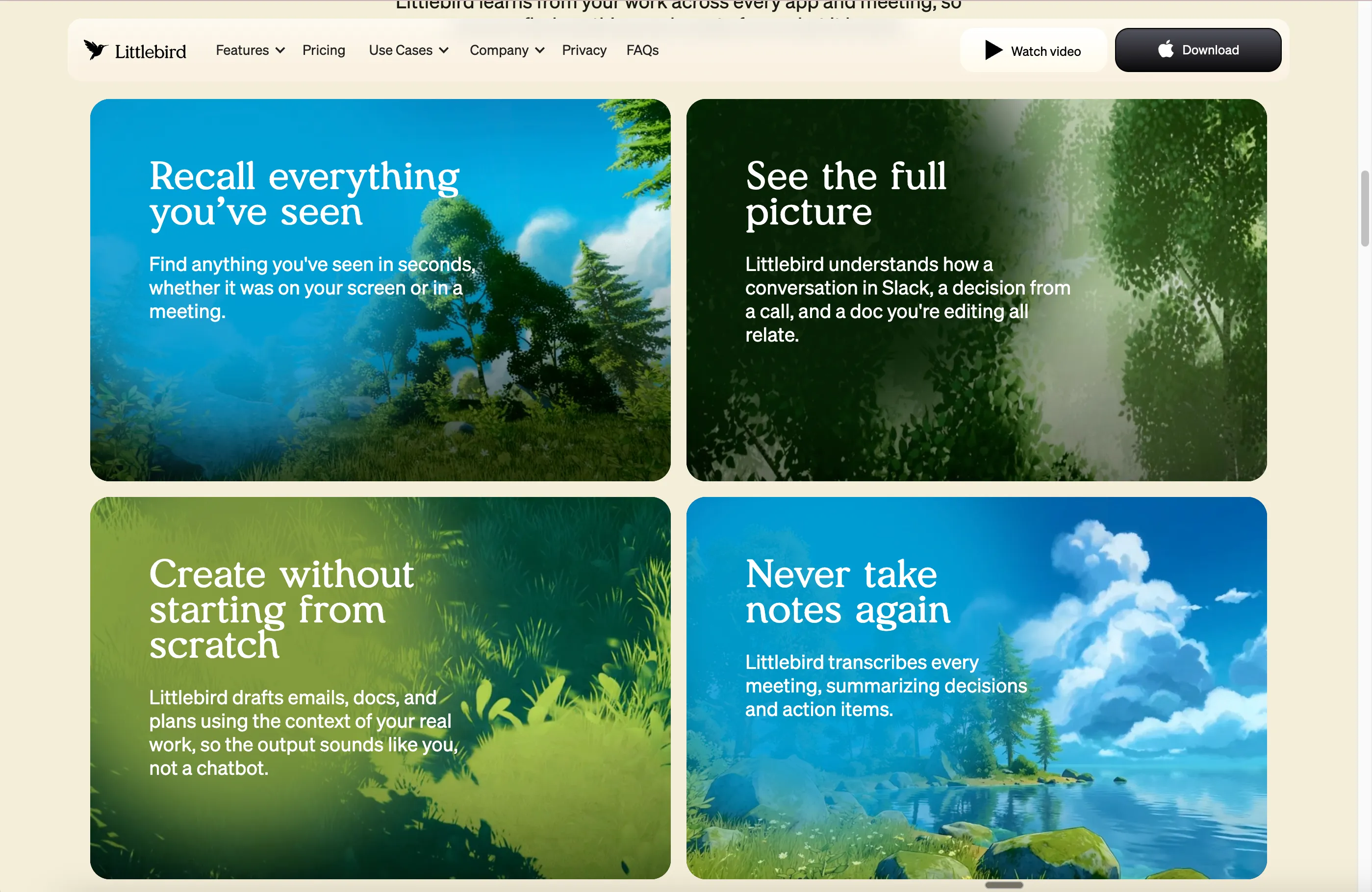
Why does this matter? Because Littlebird is asking you to let an AI watch your screen and listen to your meetings. The emotional groundwork is not decoration. It is trust infrastructure. The first product UI appears only after the feeling has been established: feeling, then value, then product.
2. Progressive trust architecture
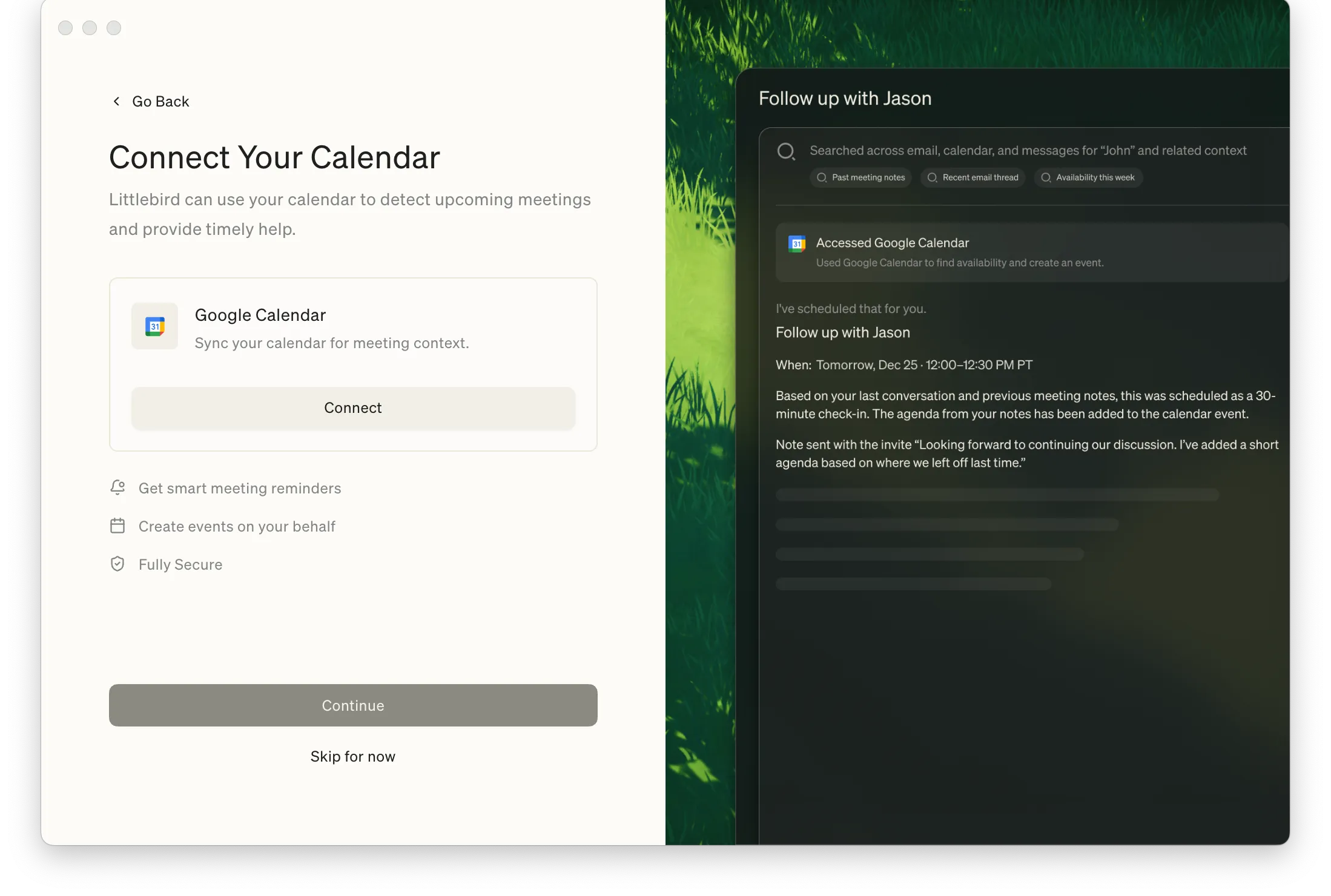
Littlebird asks for permissions in layers. See your screen, then hear your meetings, then know your schedule. Each step shows a preview of what you unlock and an option to skip. The most sensitive integration, Gmail, is not in onboarding at all. It waits in Settings for when you are ready.
This is the part that earned my attention as a product person. I have been onboarded into AI tools that asked for Gmail on the first screen, before I had any idea what they would do with it. Littlebird does the opposite: every step is sized to the trust it has already earned. I am a paying subscriber and I still have not connected Gmail. The product works without it, which is exactly why I might connect it eventually.
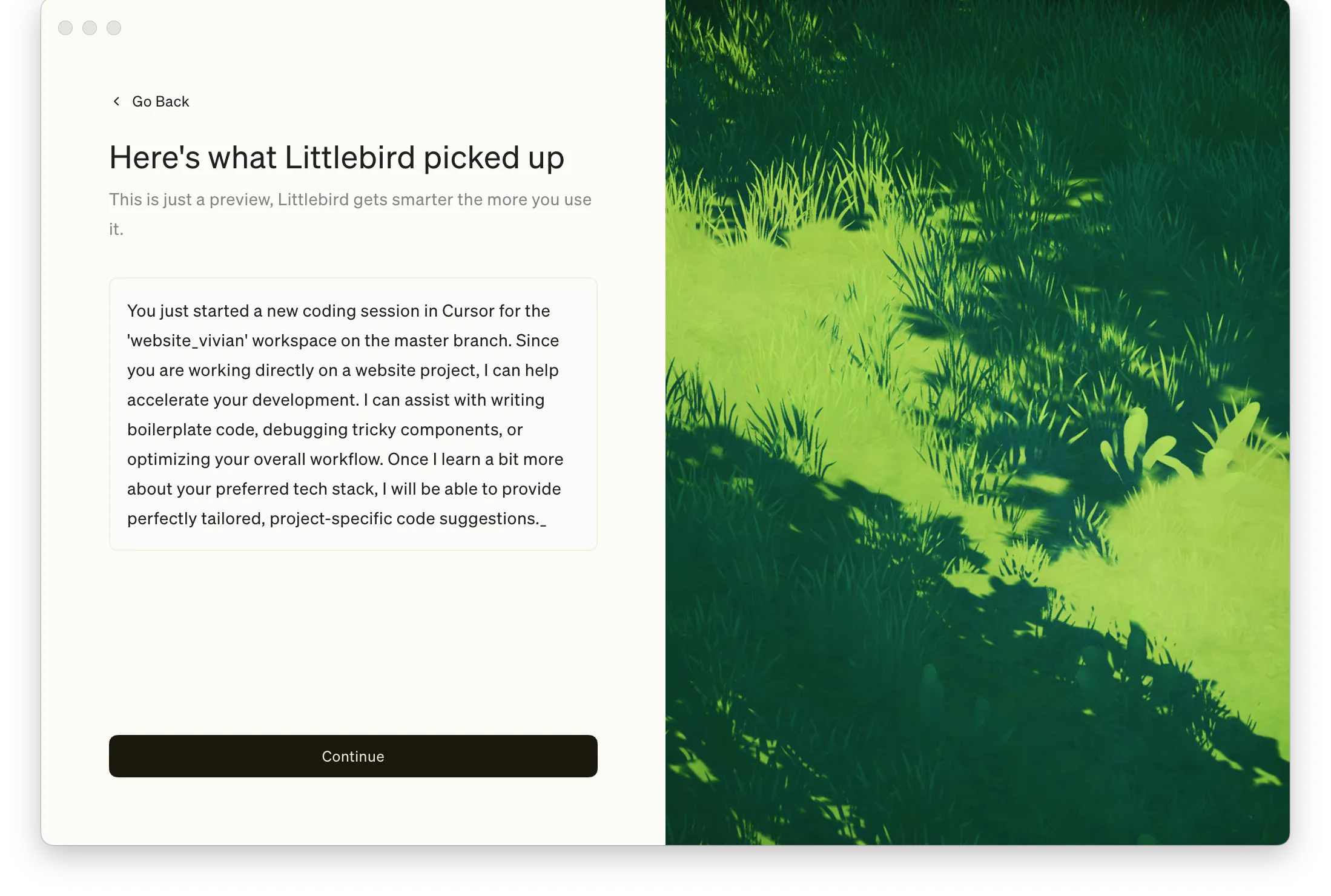
After permissions, Littlebird immediately proves it works. It read my screen, identified the project and branch I was working on, and offered to help. Not a canned demo. Real context.
3. Three layers of privacy control
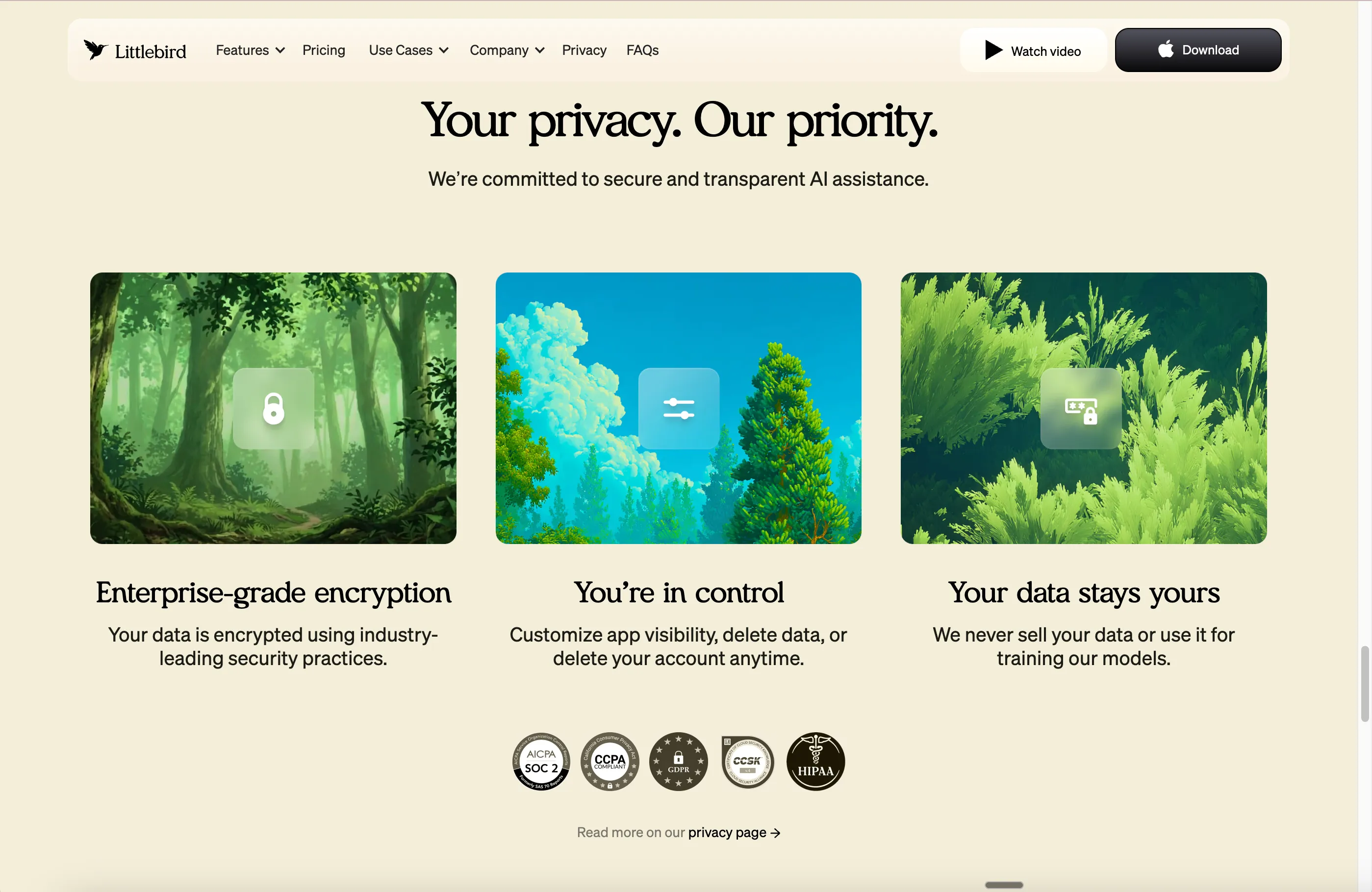
The landing page puts privacy front and center with compliance badges (SOC 2, CCPA, HIPAA). Most companies treat privacy as an after-sale concern, a compliance tab tucked into the footer. I do not pretend to know the fine print of SOC 2 or CCPA, but seeing those badges on the homepage instead of buried under it changes how I read everything else.
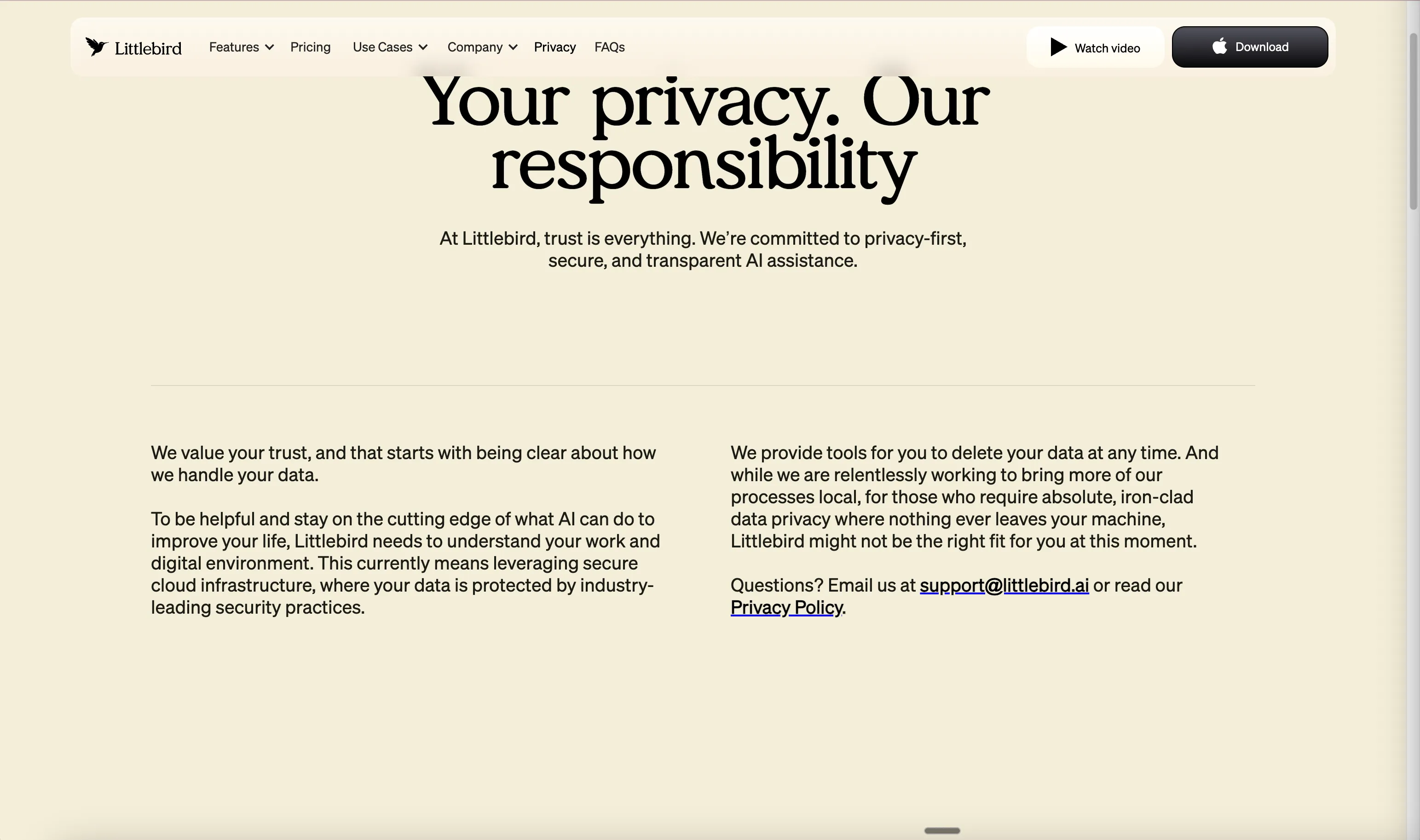
It also ends with a line you almost never see in SaaS marketing.
But the real test is the settings panel. Littlebird delivers three layers:
Prevent. Category-based website exclusions (banking, adult content, health, social media), per-app toggles, and a pause button with time ranges.
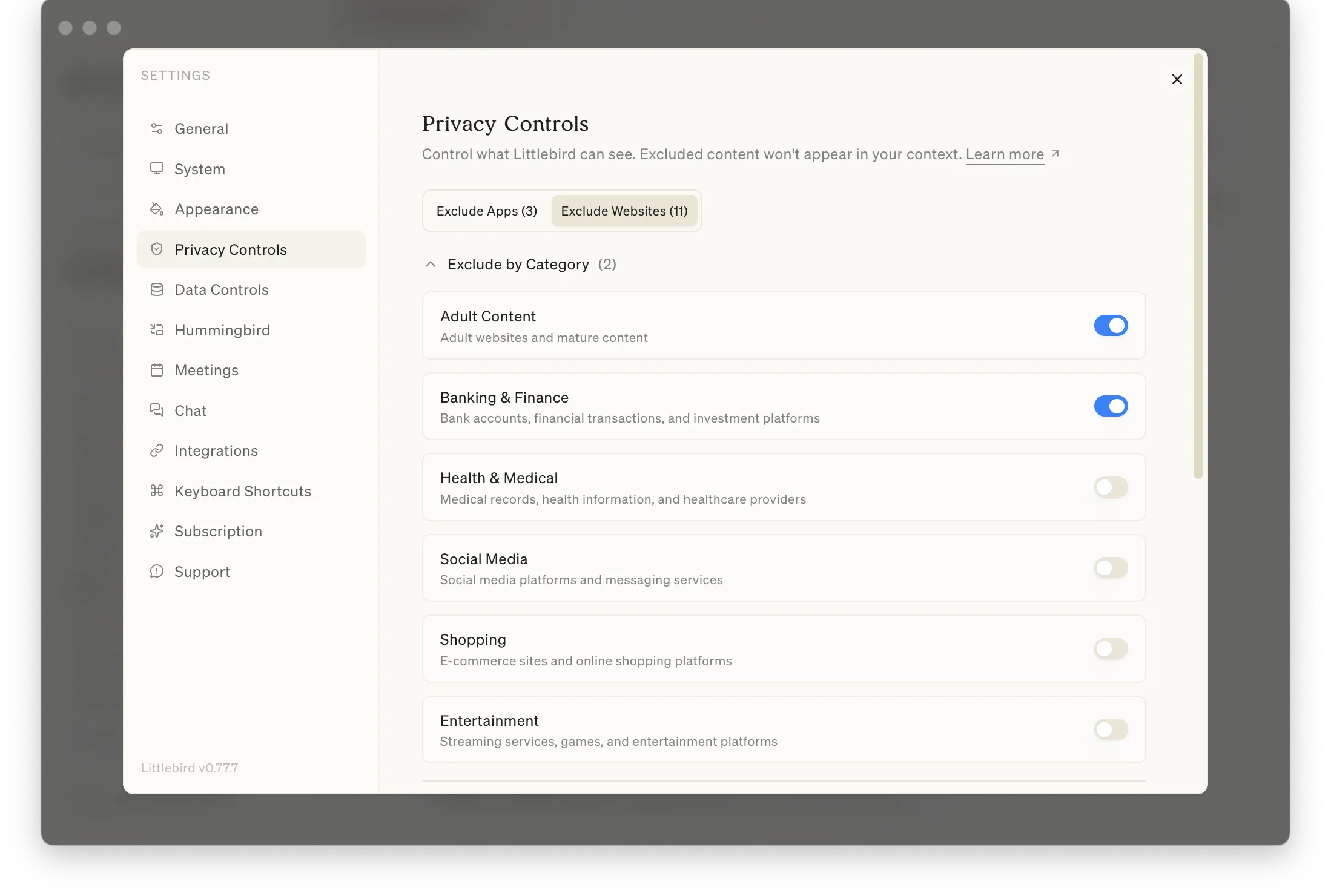
The specific website exclusion list is all password managers: 1Password, Bitwarden, LastPass, Dashlane, Keeper, NordPass, Proton Pass, MultiPassword, and Littlebird’s own domain. A careless team blocks 1Password and calls it done. Littlebird blocked all eight.
Retroactively remove. Forgot to pause? Delete what it saw. Last hour, last day, custom period, or everything.
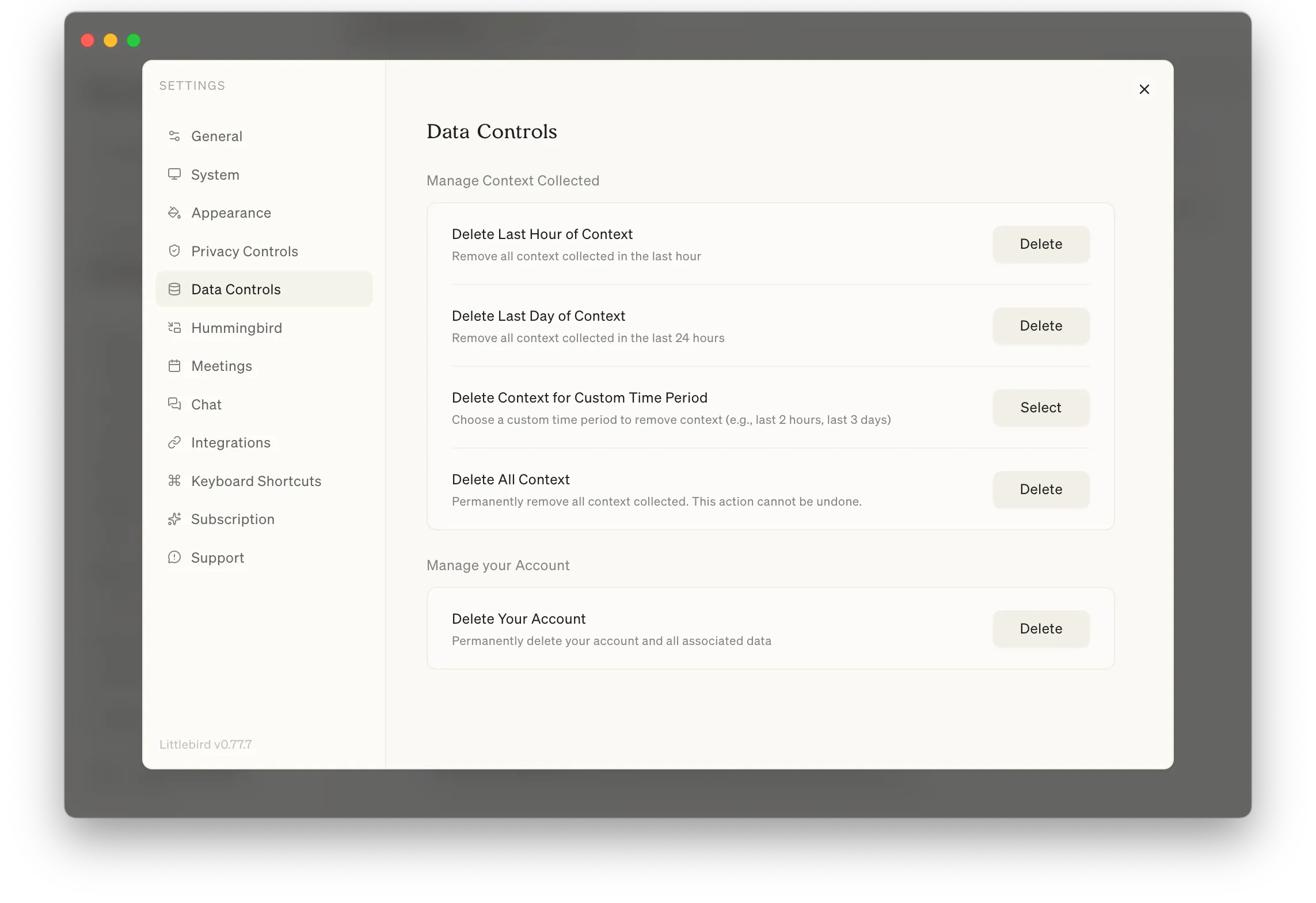
Exit. Delete all context. Delete your account.
Most competing tools offer one of these layers. Littlebird offers all three.
4. The Hummingbird interaction
Double-tap Option and a floating input appears over whatever you are doing. You type a question and get an answer grounded in what is on your screen. No app switching. No copy-pasting context.
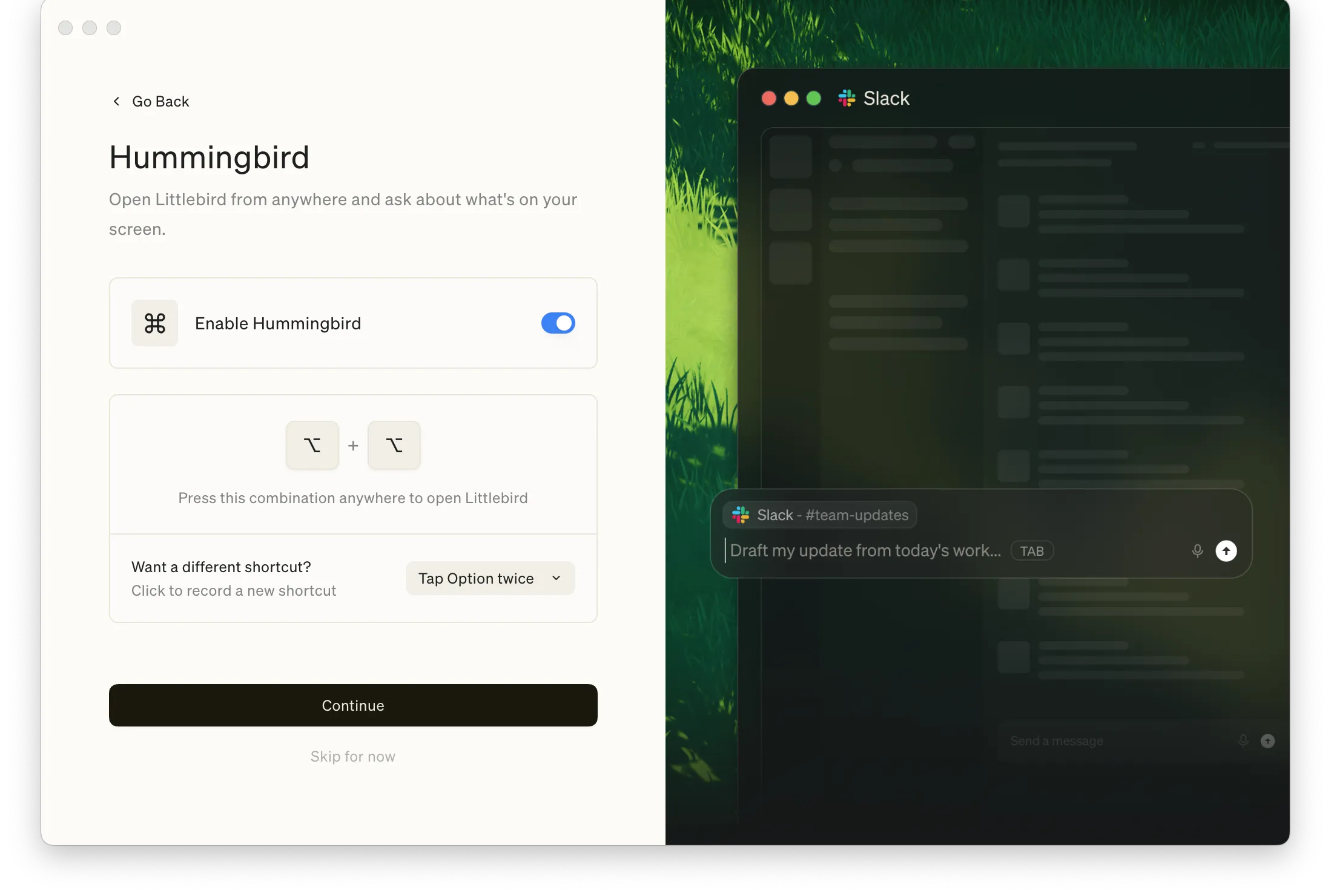
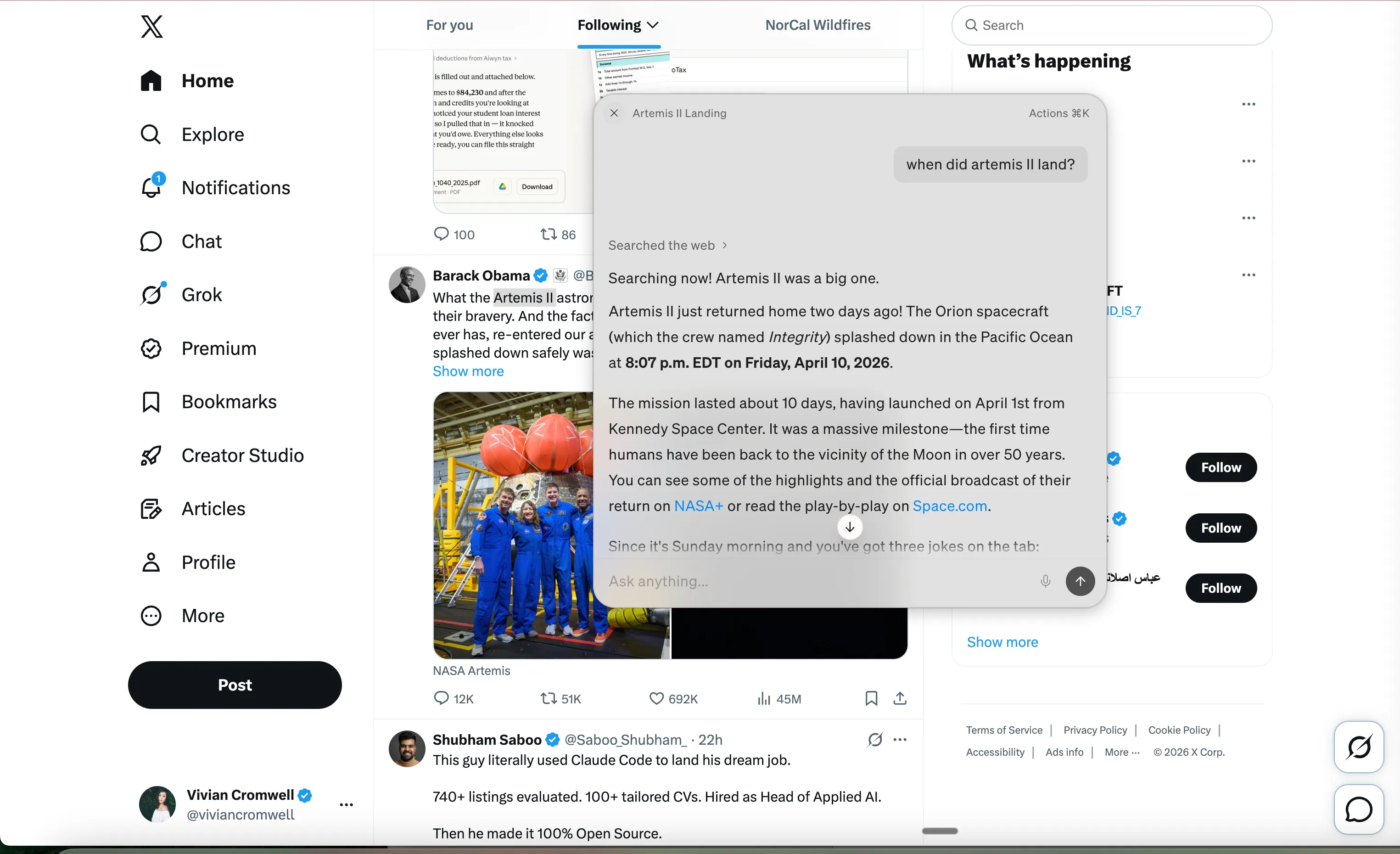
This is the interaction that justifies the entire product architecture. The accessibility API, the always-on context, the permission requests, everything leads to this: the AI meets you where you are.
5. Routines that already know your week
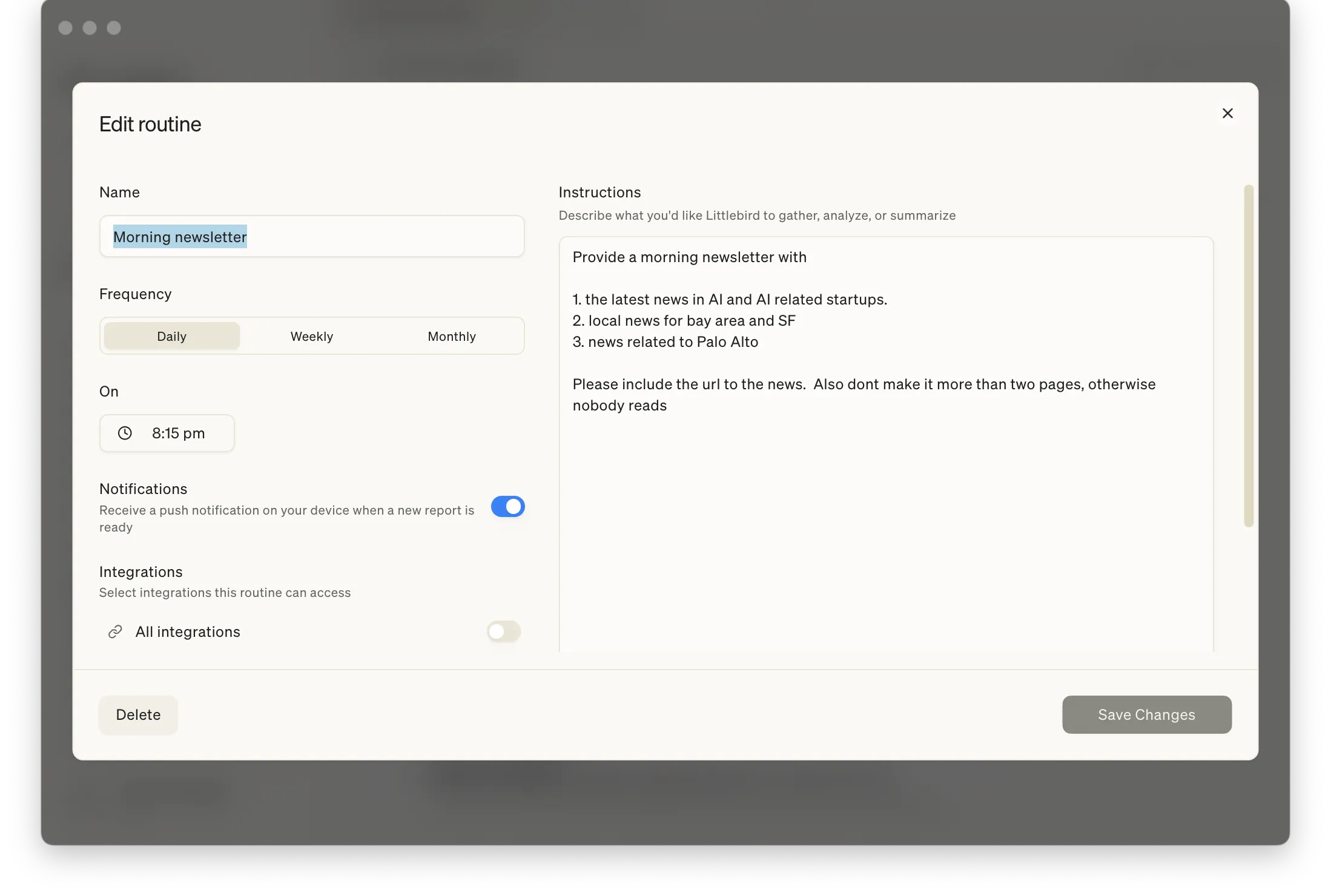
Every routine is grounded in what Littlebird has already observed about your work. The morning brief is not a generic news roundup. It is shaped by what you have been working on, who you have been meeting with, and what is on your calendar. The same prompt produces a different output on day one versus day thirty, because the context underneath has thickened. And every output has a chat icon to start a follow-up conversation with that update already loaded as context.
Integrations are scoped per routine. A news digest does not need calendar access. An end-of-day report does not need email. You grant each routine only the data it needs.
6. Memory done right
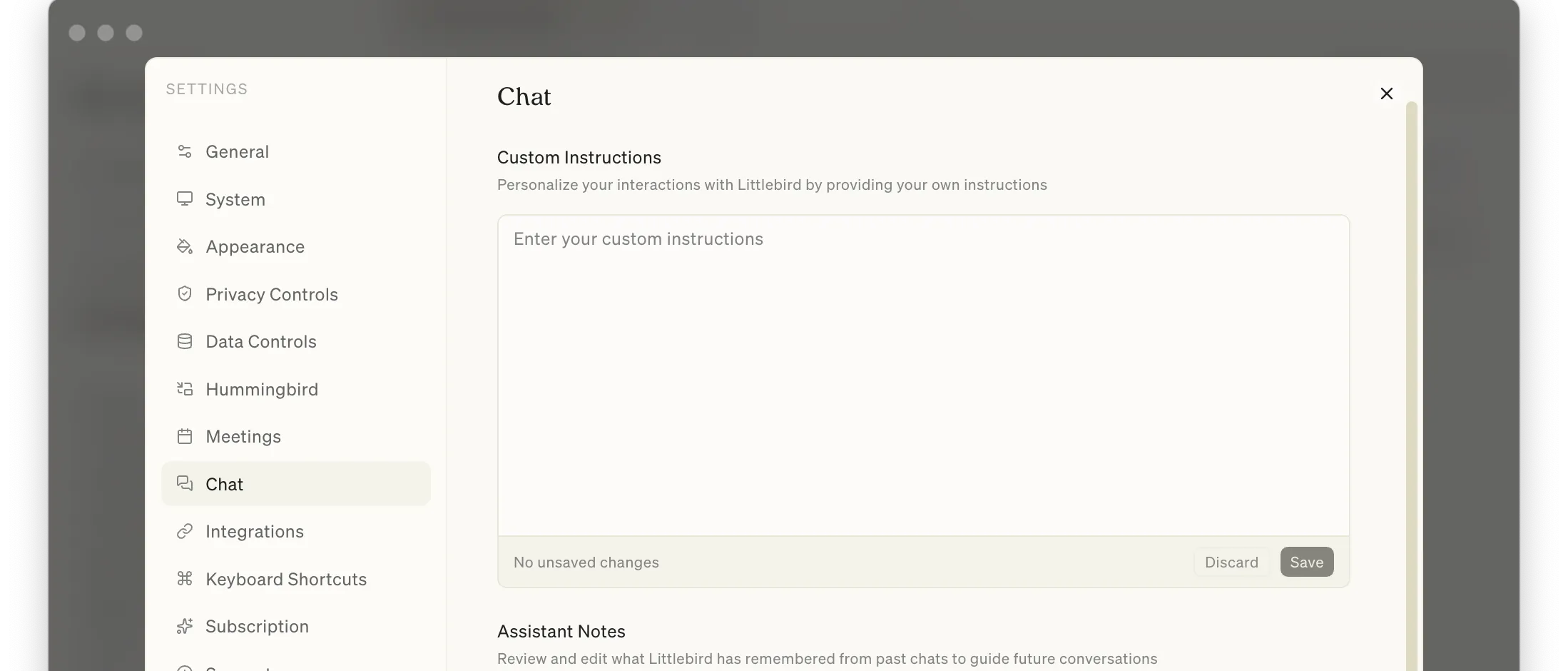
The Chat settings split into Custom Instructions (you tell it how to behave) and Assistant Notes (what it learned from observing you). The Notes section remembered family relationships, pet names, nickname preferences, and life events, all built passively from screen context and conversations.
Things I’d Change
Calendar reminders vs. real meetings
This might just be my quirk, but I use my calendar for everything. Real meetings sit alongside personal reminders like “pay tuition” and “clean the garage.” Littlebird treats them the same. A reminder to clean the garage triggers “Start recording: clean the garage” with the same urgency as a board call.
The Google Calendar API does not flag “reminder vs. meeting” outright, but the signals are obvious: no attendees, no conference link, a short solo block. Littlebird could treat any of those as a hint and skip the recording prompt. It does not.
Share links need a warning
Meeting notes can contain financial planning details, health discussions, legal conversations. The share button creates a public URL with no explicit warning. Google Docs shows “Anyone with the link” before you copy. For a product that puts privacy front and center on the landing page, this is a surprising gap.
The free tier cliff
An always-on AI needs time to learn your patterns. The free tier runs out after a few chats, before the user reaches the wow moment. I respect charging from day one (token costs are real), but the ideal free tier would give two to three weeks of context awareness so the AI already knows you by the time it asks for money.
Where It Surprised Me
Visual eyes for Claude Code
I had a grid alignment bug in a Portfolio Alerts page that Claude Code could not fix. Each row was its own grid, so columns like “Open” and “Acknowledged” resolved to different widths across rows and the status column edge wobbled. A classic layout problem, hard to debug from code alone.
I tried Playwright. It kept redirecting to login and could not see the rendered UI behind the auth wall. Claude Code went in circles.
So I asked Littlebird. The Hummingbird was already watching me
work and could see the page on my screen, login wall and all.
And it did more than read pixels. It diagnosed the layout
problem: each row was its own grid, the columns were not
shared, and that was why the edges wobbled. I relayed that
diagnosis to Claude Code and the syntax fix landed almost
immediately: display: contents on each row so they all share
a single parent grid.
What I had stumbled into felt less like a screen reader and more like an experienced engineer leaning over my shoulder, pair-programming. Playwright could not get past the login. Littlebird was already on the other side, and it knew what it was looking at.
What Stays With Me
The amount of information Littlebird can access is truly scary. Its appearance is deceptively simple, a little bird whispering in your ear, and somewhere inside that softness I learned to trust it. That is the trick.